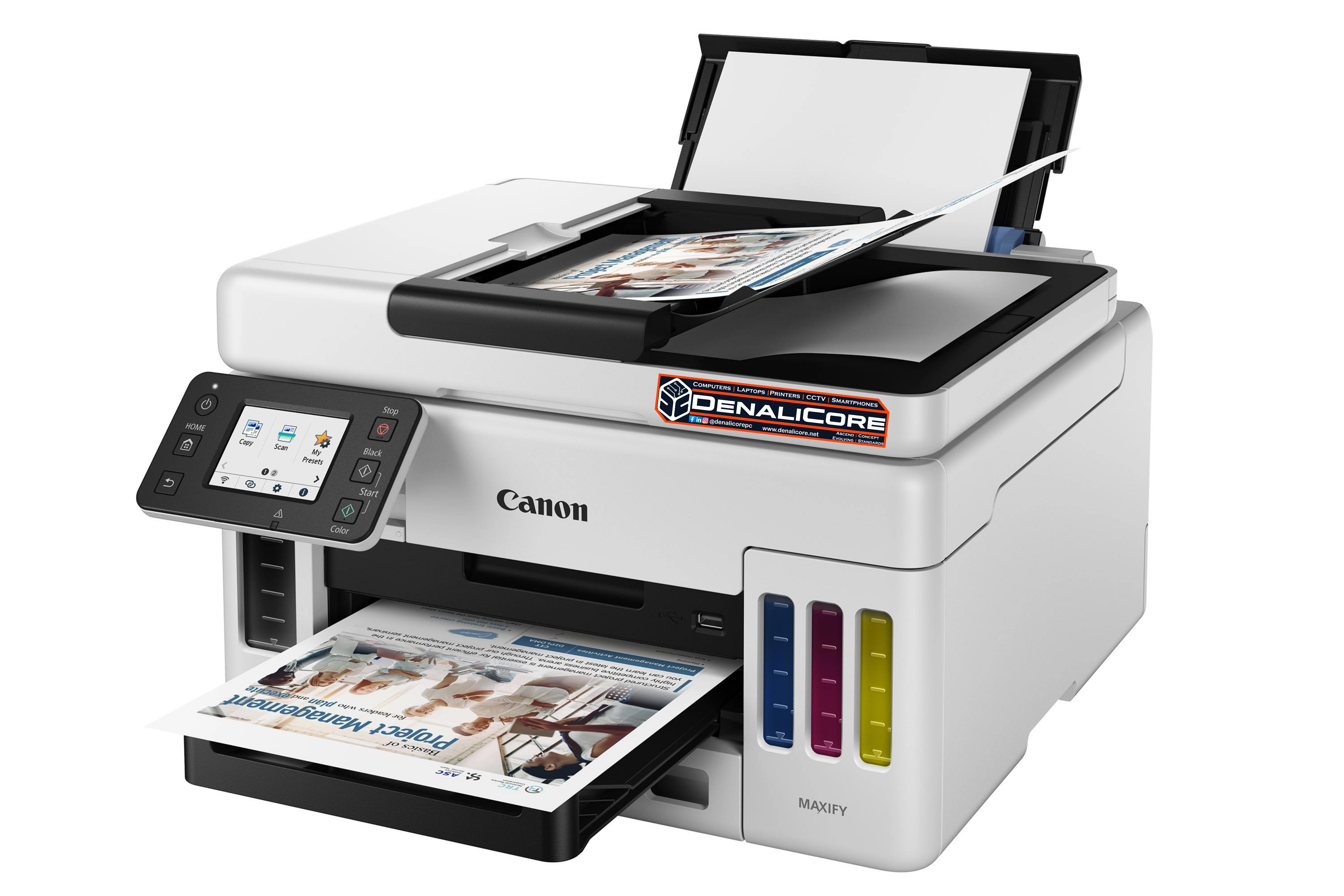
Office Printer Trends in the Philippines (2026 Guide)
Office Printer Trends in the Philippines: What Businesses Need to Know in 2026
Office printing continues to play an important role in Philippine businesses, even as more companies move toward digital documents. From invoices and contracts to reports, forms, and customer records, organizations still need dependable ways to print, scan, and manage important documents.
In 2026, office printer technology is evolving toward more cost-efficient ink systems, wireless connectivity, multifunction capabilities, smarter document workflows, and improved security. For small and medium-sized enterprises (SMEs), schools, professional offices, and growing companies, choosing the right printer can help control operating expenses and improve everyday productivity.
DENALICORE SYSTEMS explores the office printer trends shaping Philippine workplaces and explains how to choose a printing solution that fits your business needs.
What Are the Latest Office Printer Trends in the Philippines in 2026?
The most relevant office printer trends include refillable ink tank systems, multifunction printers, wireless printing, cloud-connected document workflows, print security, and more efficient use of ink, toner, and paper.
However, the best choice depends on how frequently your business prints, the type of documents it produces, and the cost of maintaining the device over time.
Here are the major developments businesses should consider before investing in a new office printer.
Ink Tank Printers for Lower Long-Term Printing Costs

Refillable ink tank printers remain an important option for Philippine homes, offices, schools, and small businesses. Instead of relying exclusively on conventional cartridges, these printers use refillable ink reservoirs designed to handle regular printing.
For businesses that print reports, invoices, learning materials, forms, and other documents every week, an ink tank printer may help reduce ongoing ink expenses.
Why are businesses considering ink tank printers?
- Lower potential ink costs per page when printing regularly.
- High-capacity ink supplies on compatible models.
- Options for both colour and black-and-white documents.
- Models designed for home offices and small-business environments.
- Multifunction versions that combine printing, scanning, and copying.
Before purchasing, compare the printer’s rated yield, replacement ink prices, print quality, warranty terms, and expected monthly workload. Actual running costs depend on coverage, maintenance, and printing habits.
Multifunction Office Printers for Everyday Business Operations
Multifunction printers combine two or more document-handling tasks in one device. Common features include printing, scanning, and copying, while selected models also support faxing and automatic document feeding.
For many small offices, a multifunction printer can reduce desk clutter and simplify everyday administrative work.

Who benefits from multifunction printers?
- Small businesses processing invoices and purchase orders.
- Schools preparing learning materials and administrative documents.
- Clinics and professional offices handling forms and records.
- Remote workers who need home-office printing and scanning.
- SMEs that digitize signed documents and paper-based records.
When comparing models, check whether they include automatic duplex printing, an automatic document feeder (ADF), wireless connectivity, and the scan destinations your team needs.
An ADF can be particularly useful when processing multiple pages, while automatic duplex printing can reduce paper use for suitable documents.
Wireless Printing for Hybrid Work and Flexible Offices
Wireless printing helps employees send documents from compatible laptops, desktops, smartphones, and tablets without requiring every device to connect directly to the printer through a USB cable.
Depending on the model, available options may include Wi-Fi, Wi-Fi Direct, mobile printing applications, and network printing.
For Philippine businesses with shared workstations or hybrid teams, wireless connectivity can make printing more convenient and flexible.
What should you check before buying a wireless printer?
- Compatibility with your existing Wi-Fi network.
- Support for your operating systems and mobile devices.
- Availability of secure network configuration.
- Ease of setting up shared access for employees.
- Compatibility with your office’s existing computers and applications.
Wireless printing does not automatically mean printing from anywhere. Remote printing and cloud-based printing may require additional configuration, a supported service, or an internet connection.

Cloud Printing and Digital Document Workflows
Modern office printing increasingly connects physical documents with digital workflows.
Depending on the printer and software, businesses may be able to scan documents to email, network folders, cloud storage, or document management systems. Some environments also support centralized print management across multiple devices or office locations.
These features can help reduce repetitive manual tasks and make documents easier to organize.
Practical applications for Philippine businesses
- Scanning signed contracts into digital archives.
- Converting paper invoices into searchable business records.
- Sharing scanned documents with authorized employees.
- Digitizing administrative forms and supporting records.
- Managing printing across departments or multiple offices.
Before adopting cloud-connected features, verify service compatibility, subscription requirements, data storage arrangements, and access permissions. Not every printer supports every cloud platform.
Smarter Printing and AI-Assisted Document Features
Artificial intelligence is beginning to influence selected printing workflows. Depending on the product and software, intelligent features may help optimize page layouts, reduce unnecessary printed content, improve document handling, or automate parts of a workflow.
For example, a supported print optimization feature may help avoid printing irrelevant sections of a webpage. Other document systems may use AI to assist with extracting information from scanned files.
These capabilities vary significantly by manufacturer, model, application, and service. AI features should therefore be evaluated according to their practical usefulness rather than treated as a standard feature of every office printer.
For many small businesses, reliable printing, affordable consumables, and easy scanning may still provide greater value than advanced features they rarely use.
Printer Security and Confidential Business Documents
Office printers are connected devices that can handle sensitive information. Contracts, employee records, financial statements, customer information, and internal reports may pass through shared printers and multifunction devices.
As a result, print security deserves attention when businesses upgrade their equipment.
Printer security features to consider
- Secure Wi-Fi and network configuration.
- Access controls for supported devices.
- PIN-based or user-authenticated printing, where available.
- Firmware and security updates.
- Secure handling of scanned documents.
- Appropriate storage and disposal procedures for retired devices.
Businesses should also review who can access print queues, scan destinations, and stored documents. A secure printer still needs appropriate network settings and user practices.
For organizations handling confidential information, printer selection should form part of the wider IT security strategy rather than being treated as a separate purchasing decision.
Energy Efficiency, Paper Reduction, and Sustainable Printing
Reducing printing waste can help businesses control costs while making better use of office resources.
Modern printer models may include automatic duplex printing, power-saving modes, and settings that help users choose appropriate output quality. Refillable ink systems can also change how consumables are purchased and replaced.
Ways to make office printing more efficient
- Enable double-sided printing for suitable documents.
- Use draft or economy mode for internal copies when appropriate.
- Preview documents before printing.
- Avoid printing unnecessary webpage elements.
- Monitor paper and ink consumption.
- Follow manufacturer guidance for consumable disposal and recycling.
The most sustainable printer is not necessarily the newest or most expensive. A device that fits your actual workload, lasts well, and uses consumables efficiently may offer better long-term value.
Choosing Between Inkjet and Laser Office Printers
Inkjet and laser printers serve different needs. Neither technology is automatically the best choice for every office.
Inkjet printers
Inkjet printers may suit businesses that need colour documents, occasional photo or graphic printing, and a range of everyday office outputs. Ink tank models can be attractive for users with regular printing needs and a focus on consumable costs.
Laser printers
Laser printers may suit offices that primarily print text-heavy documents, process frequent business paperwork, or need specific high-volume capabilities. Available models differ in speed, colour support, paper handling, and maintenance requirements.
Which technology is right for your business?
Consider these questions:
- How many pages do you print each month?
- Is most of your output black-and-white or colour?
- Do you need to print on both sides automatically?
- How many employees will share the printer?
- What are the costs of replacement ink or toner?
- Do you need scanning and copying?
- What are the printer’s recommended workload and service requirements?
Calculate the total cost of ownership rather than comparing purchase prices alone. Include consumables, paper, maintenance, replacement parts, and the potential cost of downtime.
Office Printer Trends for SMEs, Schools, and Professional Offices
Different workplaces have different printing requirements. Selecting a printer around your actual workflow can prevent overspending or purchasing equipment that cannot handle the workload.
Small and medium-sized businesses
SMEs may benefit from a printer with dependable everyday output, affordable consumables, network connectivity, and scanning features that support administrative work.
Schools and educational institutions
Schools often need to print worksheets, assessments, forms, learning materials, and reports. Print volume, colour requirements, paper handling, and consumable availability should guide the decision.
Clinics and professional offices
Clinics, accounting offices, and other professional environments may prioritize clear text, dependable scanning, secure document handling, and easy access to replacement consumables.
Home offices and freelancers
Freelancers and remote workers may prefer compact multifunction printers with wireless connectivity and manageable operating costs.
Growing companies
Businesses with several departments or higher document volumes may need more advanced network printing, user access controls, centralized management, and support arrangements.
The goal is not to purchase the most feature-rich printer available. It is to select a device that fits your printing volume, document workflow, and operating budget.
Printer Maintenance and Consumable Management
Even a suitable office printer can become expensive when maintenance and consumable costs are overlooked.
Preventive care and correct usage can help reduce avoidable printing interruptions. Follow the manufacturer’s recommendations for cleaning, ink or toner replacement, firmware updates, and paper handling.
Common printer problems businesses should monitor
- Faded, streaked, or uneven print output.
- Paper jams or frequent paper-feed errors.
- Ink or toner warnings and poor print quality.
- Connectivity issues with computers or shared networks.
- Scanner or document feeder problems.
- Unexpected printing interruptions or recurring error messages.
Use compatible consumables and appropriate paper, and avoid forcing jammed paper out of the mechanism. For persistent faults, consult qualified service support rather than repeatedly running cleaning cycles or attempting unfamiliar repairs.
When choosing a printer for your office, also check the availability of consumables and authorized support in the Philippines. Easy access to suitable supplies and service can be important for business continuity.
Where to Buy an Office Printer in Davao City, Philippines
Businesses looking for an office printer in Davao City should compare more than the advertised purchase price. The right device should suit the team’s workload, required features, operating costs, and future needs.
DENALICORE SYSTEMS helps customers explore computer and office technology options with a focus on choosing solutions that fit their requirements.
Before requesting a printer quotation, prepare the following details:
- Printing volume: Estimate the number of pages printed each month.
- Document type: Identify whether you mainly print text, colour graphics, forms, or mixed documents.
- Required functions: Decide whether you need printing only or printing, scanning, and copying.
- Connectivity: Confirm whether you need USB, Wi-Fi, or shared network printing.
- Operating budget: Consider the initial price and ongoing ink, toner, and paper costs.
- Business requirements: Identify any need for duplex printing, an ADF, or secure document handling.
DENALICORE SYSTEMS can help you explore available printer options based on your requirements and budget. Ask for a printer recommendation and quotation that considers your expected workload and the ongoing cost of consumables.
Frequently Asked Questions About Office Printers in the Philippines
1. What is the best office printer for a small business in the Philippines?
- The best printer depends on print volume, colour requirements, connectivity, and the need for scanning or copying. Ink tank multifunction printers may suit businesses with regular mixed printing needs, while selected laser models may be preferable for text-heavy workloads.
2. Are ink tank printers better than cartridge printers for offices?
- Ink tank printers can offer lower ink costs per page for regular printing, but the overall value depends on the model, purchase price, maintenance needs, print volume, and consumable costs. Compare the expected total cost rather than ink capacity alone.
3. Is a multifunction printer worth buying for an office?
- A multifunction printer can be worthwhile if your business regularly scans, copies, and prints documents. Combining these tasks in one device may save space and simplify workflows, provided the model meets your volume and performance requirements.
4. Do office printers support printing from mobile phones?
- Many current models support mobile printing through Wi-Fi, manufacturer applications, or compatible printing services. Check the specific model’s compatibility with your phone, operating system, and network.
5. How can a business reduce office printing costs?
- Businesses can reduce waste by selecting a printer that matches their volume, comparing consumable costs, using duplex printing where appropriate, previewing documents, and monitoring print usage. Avoid choosing a device solely because its initial purchase price is low.
6. What should I consider when buying an office printer in Davao City?
- Compare the printer’s functions, print volume, consumable availability, warranty, connectivity, and long-term operating costs. Also consider how easily you can obtain supplies and support when the device needs attention.
Conclusion: Choose an Office Printer That Works for Your Business
Office printer technology in the Philippines is moving toward more efficient printing, multifunction document handling, wireless connectivity, smarter workflows, and improved security.
For businesses, the best printer is the one that supports everyday operations while keeping running costs and maintenance requirements manageable.
Before purchasing, assess your printing needs, compare the complete cost of ownership, and select features that solve real workplace problems.
DENALICORE SYSTEMS — The Ascend Concept for Evolving Standards through Integrated Systems.
Looking for a printer for your office, school, or home-based business? Share your estimated monthly print volume, preferred functions, and budget with DENALICORE SYSTEMS to explore suitable options.

Leave a Reply