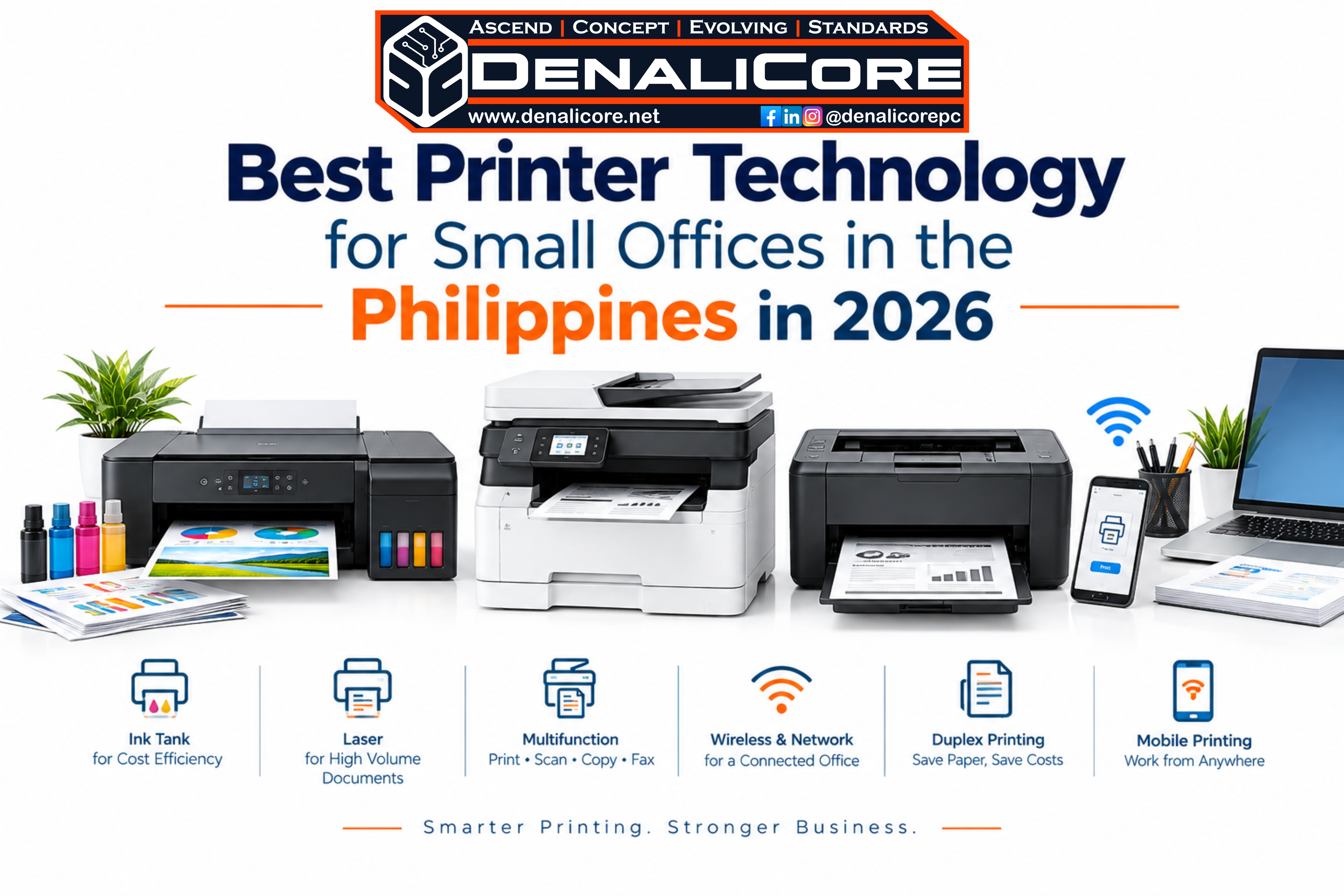
Discover the right printer technology for small offices in the Philippines. Compare ink tank, laser, multifunction, wireless, and duplex printing solutions for SMEs.
A Practical Guide to Choosing the Right Office Printer for Your Business
Choosing a printer for a small office is no longer just about finding the cheapest machine.
The right printer should fit the way your business actually works—from everyday invoices and reports to contracts, forms, presentations, receipts, and scanned documents.
For a small office in the Philippines, the better question is not simply “What is the best printer?”
It is:
“What printer technology matches our workload, workflow, and cost of operation?”
Whether you operate an SME, professional office, home-based business, retail shop, school office, or growing company, the right printing system can help reduce interruptions, simplify document handling, and make everyday work more efficient.
What Is the Best Printer Technology for a Small Office?
There is no single printer technology that is best for every small office.
The appropriate choice depends on:
- How many pages your office prints
- Whether you primarily print black-and-white or color documents
- Whether scanning and copying are part of your daily workflow
- How many employees need access to the printer
- Whether wireless or network printing is required
- How much physical space is available
- The ongoing cost of ink, toner, and maintenance
- Whether your business expects its printing needs to grow
For many small offices, multifunction printers, refillable ink-tank printers, and business-oriented laser printers are practical technologies to consider.
The goal is to match the printer with the workload—not simply purchase the printer with the longest feature list.
1. Printer Technology Options for Small Offices
Ink-Tank Printers for Cost-Conscious Office Printing

Ink-tank technology is designed around refillable ink reservoirs rather than traditional disposable cartridges.
This can make an ink-tank printer particularly interesting for offices that regularly produce color documents and want to manage recurring ink expenses.
An ink-tank system can be suitable for:
- Small businesses
- Home offices
- Online sellers
- Schools
- Administrative offices
- Freelancers
- Marketing teams
- Businesses printing regular color documents
Some modern business-oriented ink-tank models also combine printing, scanning, copying, automatic document feeding, wireless connectivity, and duplex printing in one device.
2. Laser Printers for Document-Heavy Offices

Laser printing remains relevant for businesses that produce a large amount of text-based documentation.
If your office frequently prints:
- Contracts
- Reports
- Invoices
- Business forms
- Internal documents
- Legal paperwork
- Administrative records
a laser printer may be worth considering.
Laser technology is particularly associated with fast text-document production and can make sense when an office prioritizes consistent document output over photo-oriented color printing.
3. Multifunction Printers for Small Office Workflows

A multifunction printer can combine several everyday office functions into one device.
Depending on the model, this can include:
Print + Scan + Copy + Fax
Instead of maintaining separate machines for different document tasks, a multifunction printer can consolidate the workflow.
This can be especially useful for small offices where desk space is limited.
Why multifunction technology matters
Imagine receiving a signed document by email.
Instead of:
Print → scan using another device → save → send
a multifunction printer can make the document workflow much more centralized.
For offices handling paperwork every day, this can be more important than simply comparing print speed.
4. Automatic Duplex Printing for Lower Paper Consumption
Automatic duplex printing allows a compatible printer to print on both sides of a sheet without manually turning the paper over.
For offices producing reports, proposals, internal documents, and other multi-page materials, duplex printing can make everyday printing more convenient.
It can also support a more efficient paper workflow.
When comparing printers, look for automatic duplex printing, rather than assuming that every printer automatically supports two-sided printing.
5. Wireless and Network Printing for Shared Offices

A modern office printer does not always need to be connected directly to one computer.
Depending on the printer, employees may be able to print through:
- Wi-Fi
- Ethernet/LAN
- Wi-Fi Direct
- Mobile printing
- USB
This matters when several people need access to the same printer.
For example, a five-person office may benefit from a centrally positioned network printer instead of connecting individual computers to separate machines.
6. Mobile Printing for Flexible Workplaces
Small businesses are becoming increasingly flexible about where work happens.
Employees may work from:
- Office desks
- Meeting rooms
- Home offices
- Shared workspaces
- Client locations
Mobile printing can make it easier to send documents from smartphones, tablets, and laptops when supported by the printer.
This is particularly useful for businesses that rely heavily on cloud-based workflows and mobile devices.
What Printer Features Should a Small Office Look For?
Instead of purchasing a printer based entirely on brand or appearance, evaluate the features according to your actual workflow.
Essential Small Office Printer Features
Automatic Document Feeder
An ADF can make scanning or copying multiple pages considerably easier.
This is especially useful for:
- Contracts
- IDs
- Receipts
- Reports
- Applications
- Multi-page forms
Automatic Duplex Printing
Useful for businesses that regularly print multi-page documents.
Wireless Connectivity
Useful when multiple laptops, smartphones, and computers need access to the printer.
Ethernet Connectivity
Useful for offices that prefer a wired network connection.
Mobile Printing
Helpful for modern workplaces where employees regularly work from smartphones and tablets.
Scanning and Copying
A multifunction printer can consolidate several common document tasks into one office device.
How to Choose a Printer Based on Your Small Business
For a Home-Based Business
Consider:
- Compact design
- Wireless printing
- Scanning and copying
- Reasonable operating cost
- Easy setup
For a Small Administrative Office
Consider:
- Automatic document feeder
- Duplex printing
- Network connectivity
- Reliable document output
- Easy document scanning
For a Retail Business
Consider:
- Frequent document printing
- Invoice and receipt workflows
- Network connectivity
- Efficient consumable management
- Easy maintenance
For a Marketing or Creative Office
Consider:
- Color output
- Media compatibility
- Consistent image quality
- Scanning
- Wireless connectivity
For a Growing SME
Consider:
- Higher printing capacity
- Network access
- Duplex printing
- Scanning
- Expandable workflow
- Consumable availability
- Long-term operating cost
Printer Cost Is More Than the Purchase Price
One of the most common mistakes when buying an office printer is looking only at the initial price.
The actual cost of operating a printer can include:
Printer + Ink/Toner + Paper + Maintenance + Replacement Parts + Downtime
A printer that costs less initially may not necessarily be the most economical choice for a business with heavy printing requirements.
Likewise, spending more on a printer does not automatically mean it is the right solution.
The better approach is to consider the total printing workflow.
Ink Tank vs Laser Printer for Small Offices
| Consideration | Ink Tank | Laser |
|---|
| Color documents | Strong option | Available, depending on model |
| Text-heavy printing | Suitable | Strong option |
| High-volume documents | Depends on model | Often suitable |
| Refillable ink | Yes | No |
| Toner-based | No | Yes |
| Scanning/copying | Available on MFP models | Available on MFP models |
| Wireless models | Widely available | Widely available |
| Office suitability | Depends on workload | Depends on workload |
Important: The correct choice depends on your actual workload, not simply the printer category.
Printer Technology for Small Offices in Davao City
Businesses in Davao City have different operational requirements depending on their industry, office size, and document volume.
A freelancer may need a compact wireless printer.
A small trading company may require scanning, copying, and network printing.
A growing SME may need a higher-volume multifunction system.
A school office may prioritize document production and scanning.
A retail business may need an efficient everyday document workflow.
This is why a printer consultation based on actual business usage can be more useful than choosing a printer solely from an online ranking.
Why the Right Printer Should Be Part of Your Office System
A printer should not be viewed as an isolated piece of hardware.
It is part of your broader office environment.
Your:
Laptop → Network → Printer → Scanner → Documents → Cloud Storage → Business Workflow
should work together.
This is where an integrated approach becomes valuable.
At DenaliCore Systems, the focus is not simply on selling a printer.
The goal is to help customers identify the right technology for the way they work.
DenaliCore Systems — The Ascend Concept for Evolving Standards through Integrated Systems.
A Simple Printer Selection Framework
Before purchasing, ask these seven questions:
1. What do we print most?
Documents, invoices, reports, graphics, photos, or mixed materials?
2. How frequently do we print?
Occasionally, daily, or continuously?
3. Do we need scanning and copying?
If yes, consider a multifunction printer.
4. How many people will use it?
One person or an entire office?
5. Do we need wireless printing?
Consider Wi-Fi and mobile connectivity.
6. Do we need automatic two-sided printing?
If your office frequently handles multi-page documents, duplex printing can be valuable.
7. What will the printer cost to operate?
Look beyond the initial purchase price.
The Right Printer Is the One That Fits Your Workflow
There is no universal printer that is perfect for every small business.
The right choice depends on how your office operates.
For some businesses, an ink-tank multifunction printer may make sense.
For others, a laser multifunction printer may better match a document-heavy workflow.
For smaller workspaces, a compact wireless printer may be more appropriate.
For growing businesses, network-ready multifunction printing may provide a more scalable workflow.
The objective is simple:
Choose the printer around the business—not the business around the printer.
Printer Solutions for Small Businesses in the Philippines
If you are looking for a printer for a small office, SME, home-based business, school, retail operation, or professional workspace, start with your actual workflow.
DenaliCore Systems can help you evaluate the right direction based on:
Workload → Connectivity → Functions → Operating Cost → Future Needs
Because the right printer is not just about producing paper.
It is about keeping your work moving.
DenaliCore Systems
The Ascend Concept for Evolving Standards.
-Integrated technology solutions for modern workspaces.
Frequently Asked Questions
1. What is the best printer technology for a small office?
- The appropriate technology depends on your workload. Ink-tank printers can be useful for offices with regular color printing, while laser printers can be suitable for document-heavy workflows. Multifunction models are useful when printing, scanning, and copying are all required.
2. Is an ink-tank printer good for a small business?
- It can be. Ink-tank printers are particularly worth considering when a business regularly produces color documents and wants a refillable ink system.
3. Is a laser printer better for office documents?
- Laser printers can be a practical option for offices that produce large quantities of text-based documents and prioritize fast, consistent document printing.
4. Should a small office buy a multifunction printer?
- If your business regularly scans or copies documents, a multifunction printer can consolidate several office tasks into one device.
5. What should I look for in a small office printer in the Philippines?
- Consider your printing volume, color requirements, scanning needs, connectivity, duplex printing, consumable costs, available space, and expected future workload.
6. What is a good printer setup for a small office in Davao City?
- A suitable setup depends on the business. A home-based professional may need a compact wireless multifunction printer, while a growing SME may require a network-connected printer with scanning, copying, duplex printing, and higher-volume capabilities.

Leave a Reply